Development Planner & Tracker
Plan and track any construction project from due diligence to close-out.
Built for construction and development teams: every phase, trade, contract and inspection on one schedule that shows what a slip in one place does to everything after it.
See it in action
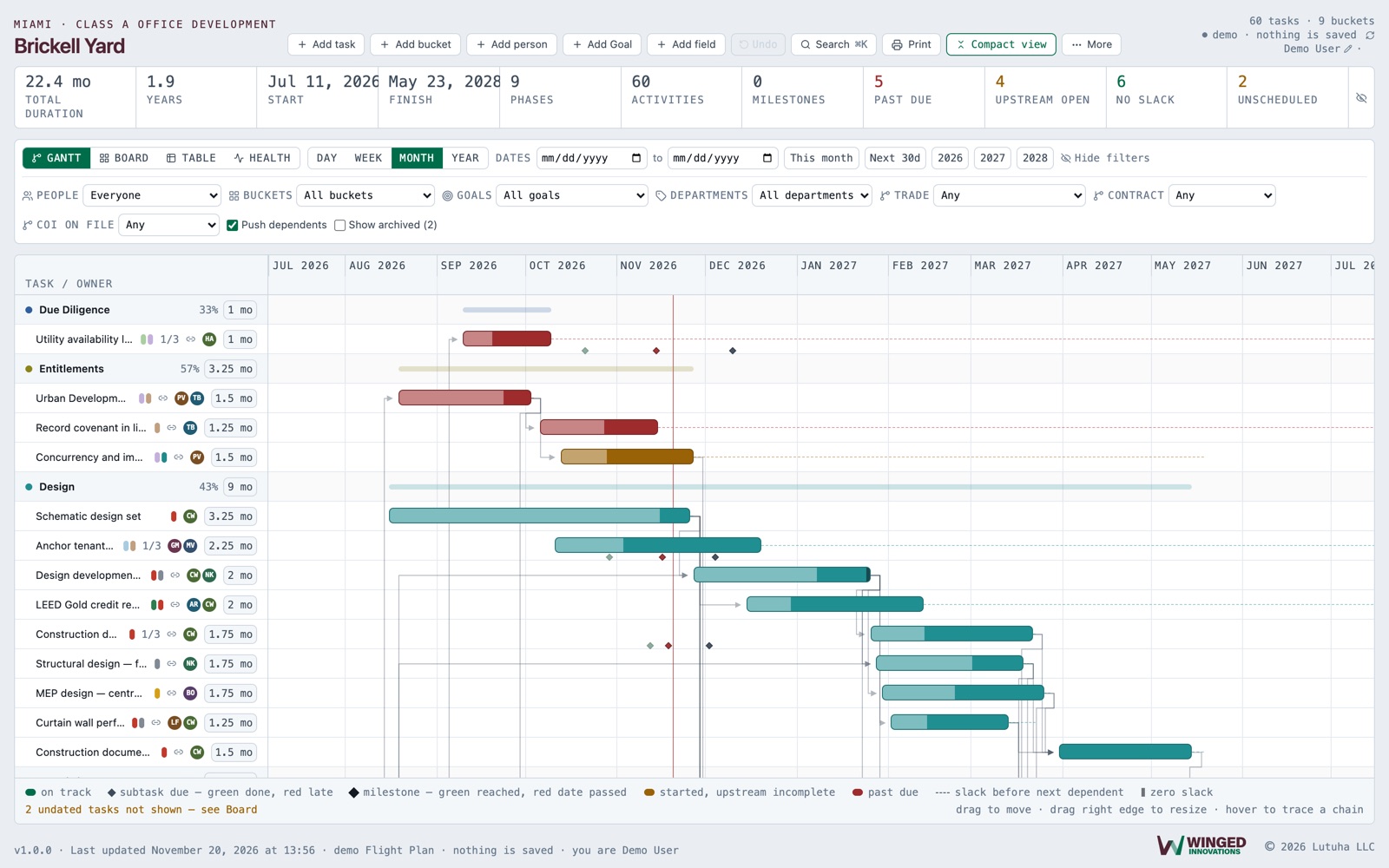
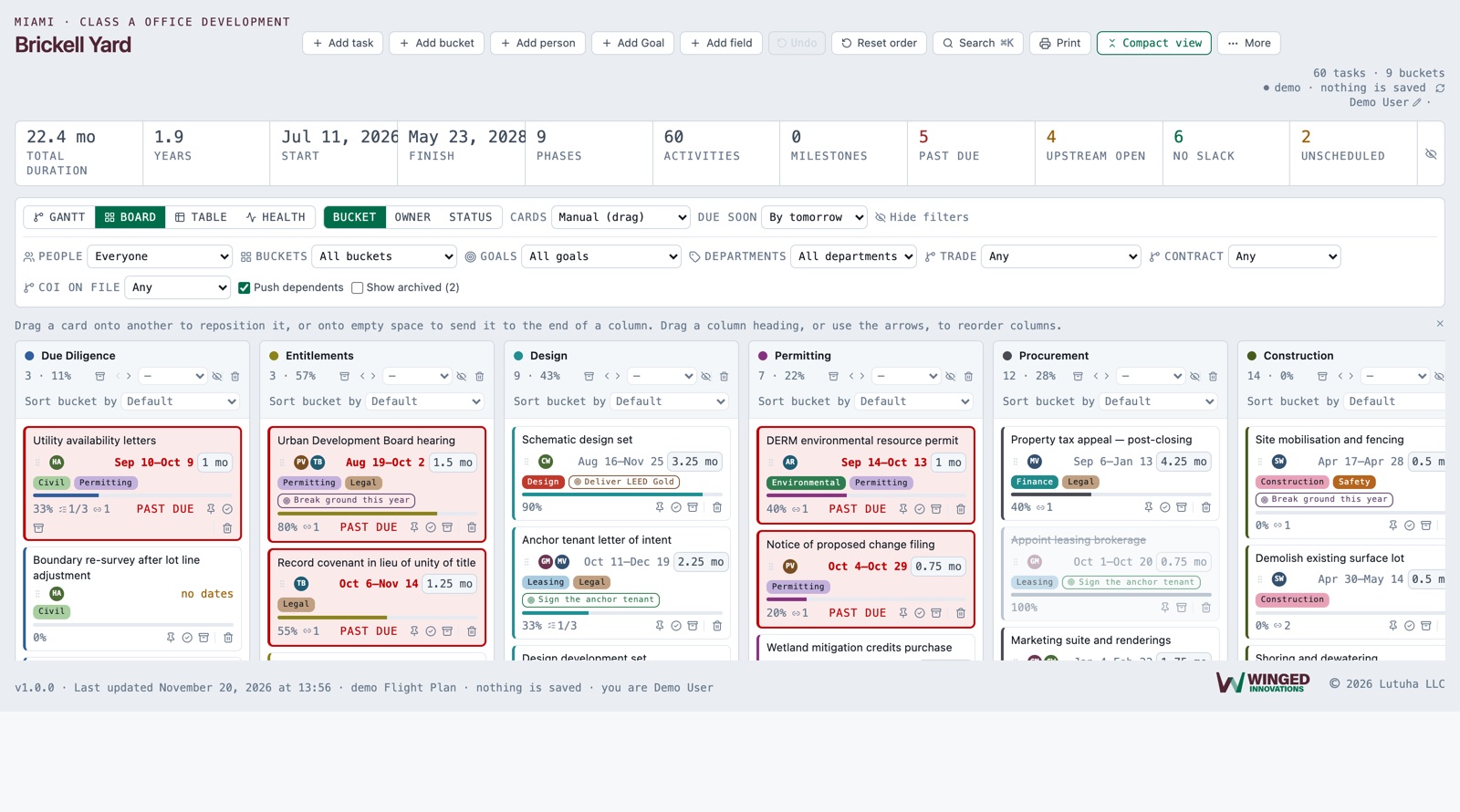
Development Planner & Tracker, up close
Screens from the product, with sample data. Select a picture to see it full size.
Coming from Microsoft Planner?
Bring your plan with you.
Export your plan from Planner, paste it in, and every task arrives with its bucket, the people assigned, dates, progress, priority, notes, checklist items and labels. Then add the dependencies Planner never had and watch the Gantt come to life.
No retyping, no starting over, no consultant.
- 1
Export from Planner
In your plan, choose Export plan to Excel.
- 2
Paste it in
Copy the sheet and paste it into Development Planner & Tracker. Buckets become columns, checklist items become subtasks, labels become departments.
- 3
Link and schedule
Connect the tasks that depend on each other. Move one, and everything after it moves too.
What it does
Everything Development Planner & Tracker handles
Phase by phase
From due diligence through design, permitting, construction and close-out, laid out the way a development actually runs.
Construction fields built in
Trade, contract, budget and inspection details sit on each task, not in a separate spreadsheet.
See the knock-on effect
Drag a design deadline and watch every dependent milestone move with it.
Every project needs a flight plan
See the whole route on the Gantt: which work has room to slip, and what a delay does to everything after it.
Everyone on one schedule
Owners, consultants and builders work from the same plan, so everyone sees the latest dates.
Backups you can trust
Automatic backups before anything is replaced or deleted, and a plain way to restore.
Also included
The details that make it work day to day
Durations drive the schedule
Give each task a duration and the dates follow, through every dependency.
Columns that know what they mean
Done, On hold, Testing, Notes and List, set from each column's heading. Delivered / Turned Over reads as done and Punch List & Commissioning as testing without setting anything.
On hold travels with the card
A held task stays held as it moves from phase to phase, until someone releases it.
Close-out stays a working phase
Work in close-out is not marked finished just because of where it sits.
Undo
Take back your last change straight from the toolbar.
Every plan at your fingertips
Keep as many plans as you need and switch between them in a click. Pin the one you use most and it opens every time.
Want to see it with your own plan?
We will walk you through it using your own project, so you can judge it on real work.
Request a demo