Project Planner & Tracker
Frustrated with or outgrown Microsoft Planner? Seamlessly transition to our planner tool!
Gantt charts, real dependencies, progress and health reporting, without the weight or the price of other platforms. Bring your Planner export and see your plan come back to life.
See it in action
Project Planner & Tracker, up close
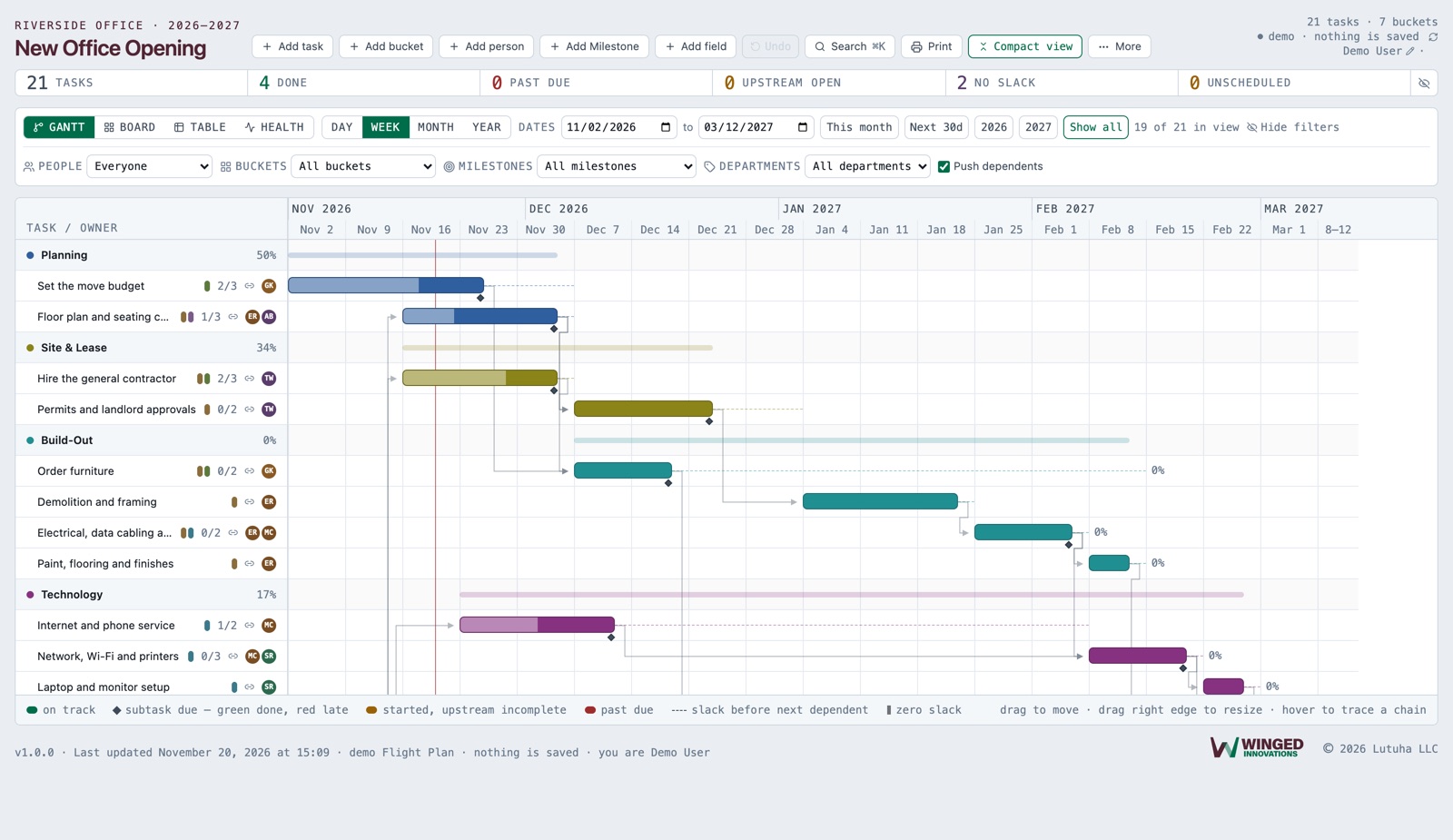
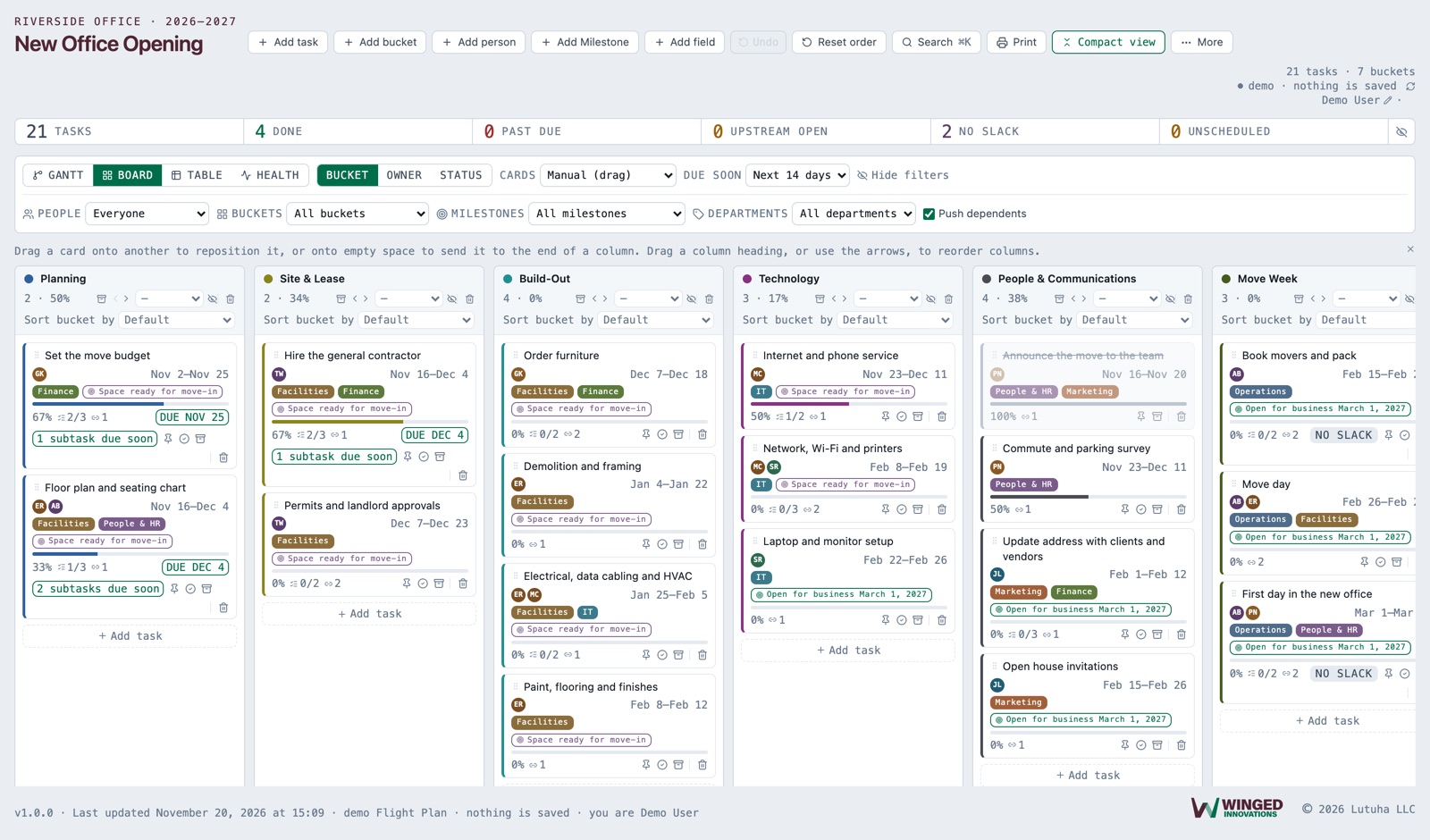
Screens from the product, with sample data. Select a picture to see it full size.
Coming from Microsoft Planner?
Bring your plan with you.
Export your plan from Planner, paste it in, and every task arrives with its bucket, the people assigned, dates, progress, priority, notes, checklist items and labels. Then add the dependencies Planner never had and watch the Gantt come to life.
No retyping, no starting over, no consultant.
- 1
Export from Planner
In your plan, choose Export plan to Excel.
- 2
Paste it in
Copy the sheet and paste it into Project Planner & Tracker. Buckets become columns, checklist items become subtasks, labels become departments.
- 3
Link and schedule
Connect the tasks that depend on each other. Move one, and everything after it moves too.
What it does
Everything Project Planner & Tracker handles
Board, table and Gantt
One plan, three views. Move a card on the board and the table and the Gantt follow.
Dependencies that cascade
Link tasks and drag one: everything that depends on it moves too, so you see what a delay really costs.
Health and conflict reporting
Late work, overloaded people and broken dependencies are flagged before they turn into surprises.
Your own fields
Add the fields your work needs, from budgets to inspection dates, without asking anyone.
Moves your Planner plan over in minutes
Export from Microsoft Planner, paste it in, and your tasks arrive with their buckets, people, dates and subtasks. No retyping.
Nothing lost
Undo, plus automatic backups before anything is replaced or deleted, with a clear way to get a plan back.
Also included
The details that make it work day to day
Starter templates
Begin from a Litigation matter or Home renovation template, a sample plan, or a blank board. Each template lays out the phases, tasks and links in order, ready for your own dates.
Columns that know what they mean
Mark a column Done, On hold, Testing, Notes or List. Notes and List hold reference items and running lists that never show as late.
Subtasks drive progress
Tick subtasks and the card's progress follows. When a card is finished, it asks where it should live.
Late is measured, not guessed
A finished card shows exactly how many days late it was against its due date.
Warned, never blocked
Finishing a task while earlier work is still open raises a warning, but never stops you or makes you delete the link.
Slack on the Gantt
See which work has room to slip and which work holds up everything behind it.
Departments, goals and roster
Tag work by department, tie it to goals, and keep everyone on the plan in one roster.
Every plan at your fingertips
Keep as many plans as you need and switch between them in a click. Pin the one you use most and it opens every time.
A Gantt that stays readable
Dated notes stay off the chart, so the schedule is not crowded by reference items.
Want to see it with your own plan?
We will walk you through it using your own project, so you can judge it on real work.
Request a demo